

SEO
How to Avoid Marketing Emails Going to Spam and Improve Open Rates Fast

Contents
How to avoid marketing emails going to spam and improve open rates fast. Use verified tactics to fix deliverability and get into inboxes.
How to avoid marketing emails going to spam is one of the biggest concerns for email marketers today. You craft the perfect message, hit send, and it never reaches your audience—not because they ignored it, but because it landed in the spam folder.
This problem isn’t random. Email deliverability depends on a mix of technical setup, sender reputation, and message content. If any of these are off, even well-written campaigns can get flagged. In this guide, you’ll learn the exact steps to stay out of spam, build trust with email providers, and improve your open rates fast.
Why Emails Go to Spam in the First Place
Before fixing the issue, it helps to understand why emails end up in the spam folder. Most of the time, it’s not just one thing. It’s a mix of technical, content, and behavioral triggers.
Common Reasons Your Emails Get Flagged:
- Spammy Language
Words like “Buy now,” “Act fast,” “Free,” or excessive punctuation (!!!) can trigger filters. Overusing capital letters or deceptive phrases adds to the risk. - Blacklisted IP or Domain
If your email service provider shares sending IPs with other users who spam, or your domain has a history of spam complaints, your emails may get blocked by default. - Low Engagement Rates
If too many recipients delete, ignore, or mark your emails as spam, your sender reputation suffers—and future emails are more likely to be filtered. - Poor List Hygiene
Sending to outdated or purchased lists increases bounce rates and spam complaints. These are red flags to email service providers. - Misleading Subject Lines
Promising one thing in the subject and delivering another in the body causes users to lose trust, leading to lower engagement and potential spam reports.
Understanding these risks is the first step in learning how to avoid spam in email marketing. The next step is fixing them, starting with authentication, content quality, and smart sending practices.
Email Authentication Essentials
One of the most overlooked factors in deliverability is authentication. If your domain isn’t verified, email providers are more likely to flag your messages as suspicious or spam. This is a core part of how to avoid spam filters email marketing professionals can’t afford to ignore.
Key Authentication Protocols You Need:
- SPF (Sender Policy Framework)
Verifies that your email is being sent from an approved server. It prevents spammers from sending on your behalf. - DKIM (DomainKeys Identified Mail)
Adds a digital signature to your emails, confirming they haven’t been altered during delivery and that they came from your domain. - DMARC (Domain-based Message Authentication, Reporting & Conformance)
Builds on SPF and DKIM, giving ISPs instructions on how to handle unauthenticated messages and generating reports about suspicious activity.
How to Check If You’re Authenticated
- Use free tools like Google Postmaster Tools, MXToolbox, or your ESP’s authentication dashboard.
- Run a test email to a Gmail or Outlook account and check “original message” or “email headers” for authentication status.
Basic Setup Tips
- Set up SPF, DKIM, and DMARC records in your domain’s DNS settings (your hosting provider or registrar can assist).
- Work with your email platform, like Mailchimp, Klaviyo, or ConvertKit, to ensure all protocols are active.
- Use a branded sending domain (e.g., mail.yourdomain.com) instead of generic ones like @gmail.com.
Authentication tells inbox providers you’re legitimate. Without it, your emails may never reach your audience, no matter how good your content is.
Build and Maintain a Clean Email List
Your list is the foundation of email deliverability. No amount of good design or content will help if you’re sending it to the wrong people. If you’re wondering how to do email marketing without spamming, it starts with a clean, permission-based list.
Key Practices to Keep Your List Healthy:
- Use Double Opt-In
When someone signs up, send a confirmation email to verify they actually want to receive messages from you. This helps filter out bots, spam traps, and mistyped addresses. - Remove Inactive or Bounced Emails Regularly
Monitor your list and trim addresses that haven’t opened emails in several months. Also remove any addresses that hard bounce, such as invalid or inactive accounts. - Never Buy or Scrape Lists
Purchased lists are one of the fastest ways to get flagged as a spammer. These contacts haven’t consented to hear from you, and many could be fake or recycled spam traps. - Send Only With Permission
Every contact on your list should have explicitly opted in. This keeps your sender reputation clean and your audience engaged.
Maintaining a clean list is not just good practice. It is essential for inbox placement. Respecting your audience’s permission is the most reliable way to build trust and avoid spam complaints.
Avoid Content and Design Mistakes That Trigger Spam Filters
Even with a verified domain and a clean list, poor email content and formatting can still land your messages in the spam folder. Small choices in design and language often determine whether your email is delivered or blocked.
Tips to Keep Your Emails Out of Spam:
- Avoid ALL CAPS, Red Text, or Misleading Subject Lines
Shouting through formatting or using clickbait tactics reduces trust and increases the chance of getting flagged. Use clear, honest subject lines and readable formatting. - Limit Spam Trigger Words
Words like “free,” “guaranteed,” “buy now,” “act fast,” or “limited time” are commonly flagged by spam filters. Use persuasive language without sounding like a scam. - Balance Text and Images
Emails that are image-heavy with little or no text can look suspicious to filters. Maintain a healthy ratio, and always include alt text for accessibility. - Use a Mobile-Optimized, Clean Layout
Most users check email on their phones. Use short paragraphs, large fonts, clear CTAs, and responsive design to improve user experience and engagement.
A well-designed email is not just easier to read. It also signals professionalism and reduces the risk of being marked as spam. Consistent formatting across campaigns builds credibility with both your audience and inbox providers.
Optimize Your Timing, Frequency, and Engagement
Deliverability isn’t just about what you send. It’s also about when you send it and how your audience interacts. Poor timing or inconsistent email habits can hurt your sender reputation just as much as bad content.
Best Practices to Improve Inbox Placement:
- Avoid Over-Emailing or Long Gaps
Sending too often can annoy subscribers. Waiting too long can make them forget who you are. Find a consistent rhythm that matches your audience’s expectations. - Warm Up Cold Lists Gradually
If you haven’t emailed a segment in a while, don’t restart with a heavy blast. Start slow, reintroduce value, and build back trust over time. - Encourage Clicks and Replies
Inbox providers pay attention to engagement. When people open, click, or respond to your emails, it sends a strong signal that your content is wanted and worth delivering. - Segment and Personalize
The more relevant your emails are, the more they get opened. Use behavior, purchase history, or subscriber interests to send targeted, meaningful messages.
Need help with timing strategy? Check out When Is the Best Time to Send Marketing Emails to boost opens and improve consistency without overwhelming your list.
Monitor Key Email Metrics to Improve Inboxing
You can’t improve what you don’t measure. If your emails are ending up in spam folders, the first step is to track the right performance indicators. These metrics help you catch deliverability issues early and adjust your strategy before damage spreads.
Track These Core Metrics Regularly:
- Open Rate
A drop in open rates may signal inboxing problems or declining subject line effectiveness. - Bounce Rate
High bounce rates can hurt your sender reputation. Remove invalid addresses promptly. - Unsubscribe Rate
A rising unsubscribe rate often means your content isn’t matching expectations or you’re emailing too frequently. - Spam Complaint Rate
The lower, the better. Aim to keep complaints under 0.1%. Anything higher is a red flag to inbox providers.
Additional Monitoring Tips:
- Use Feedback Loops
Major providers like Gmail and Yahoo allow you to set up feedback loops so you’re alerted when users mark your messages as spam. - Set Up Blacklist Alerts
Use tools like MXToolbox or Talos Intelligence to monitor if your sending domain or IP ends up on a blacklist. Quick action helps prevent long-term damage.
To dive deeper into what these numbers mean and how to act on them, read How to Measure Email Marketing Success. Monitoring isn’t optional, it’s essential for inboxing and long-term performance.
A/B Test and Iterate for Better Open Rates
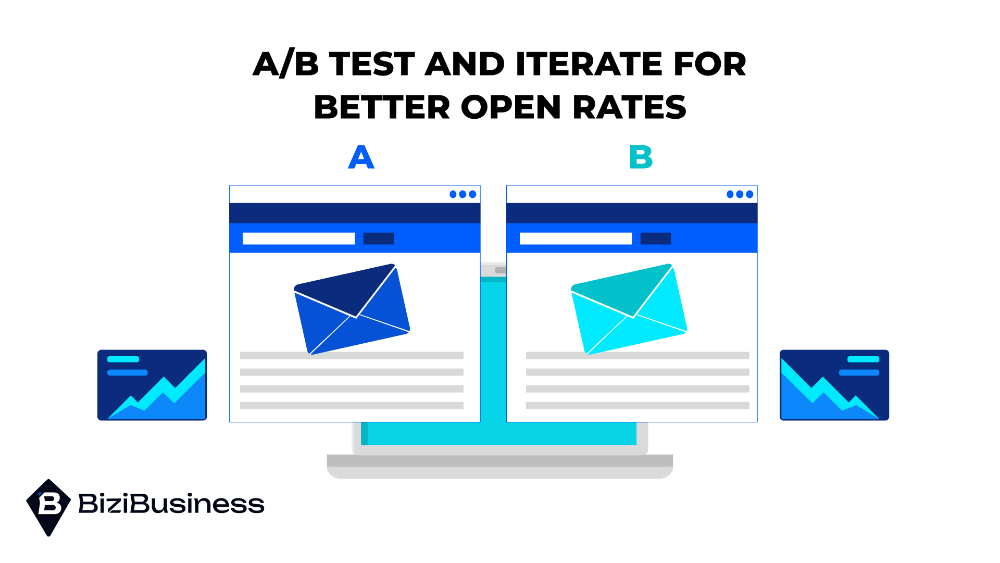
Improving email performance isn’t guesswork. The best way to increase open rates and engagement is through continuous A/B testing. Small changes can lead to big gains when tested and optimized over time.
What to Test:
- Subject Lines
Try variations in tone, length, personalization, and urgency to see what drives more opens. - Send Times and Days
Your audience may engage better at certain times. Test different windows and review the data. - CTA Positioning and Wording
Experiment with where you place your call-to-action and how it’s phrased. Clear, benefit-driven CTAs tend to perform best.
How to Use the Results:
- Focus on one variable at a time to isolate what’s working.
- Use open, click-through, and conversion rates to measure results.
- Apply winners to future campaigns and continue testing.
Automation platforms make it easy to test and refine over time. For a full guide on what to test and how to track it, check out A/B Testing Email Marketing. Consistent testing turns small insights into lasting improvements.
Stay Out of Spam, Stay in the Inbox
Avoiding the spam folder isn’t about shortcuts. It’s about building trust, staying consistent, and following best practices every time you send. Email deliverability is a long game, and every campaign you send either helps or hurts your reputation.
Before launching your next campaign, reuse this checklist:
- Is your domain authenticated with SPF, DKIM, and DMARC?
- Are you sending only to opted-in, engaged subscribers?
- Does your email avoid spammy language and design mistakes?
- Have you tested subject lines, CTAs, and send times?
- Is your content mobile-friendly and aligned with user intent?
Also, take time to review your sender domain setup and evaluate list health regularly. A few small improvements can dramatically boost inbox placement and engagement.
Ready to fix deliverability issues before they cost you more visibility? Run a quick email deliverability audit or update your practices today, because great emails don’t matter if no one sees them.

Subscribe for the week's best marketing content
SEO
Discover the latest SEO tips, techniques,
and trends to boost your website’s ranking and drive organic traffic.
Is more content better for SEO? Learn what Google really values and why content quality, structure, and freshness matter more than volume.
What is pillar content in SEO? Learn how to structure your site using pillar pages...
Learn how is AI Overview affecting SEO for blogging in 2025. Understand the risks, ranking...
Wondering is AI-generated content good for SEO? Discover how AI content impacts your rankings, Google’s...
Write smarter, not harder. Learn how to create SEO content with ChatGPT and boost your...


